Ftrack-Connect
Starting ftrack-connect
Click on the tiny green box in the top panel.

If you can’t find it, please contact your TD.
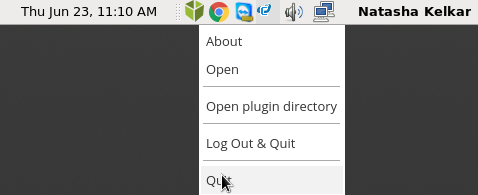
You know ftrack_connect is already running on your machine, if you see the tiny green box in the application tray on the top right corner of your desktop.

Stopping ftrack-connect
Right click on the tiny green icon in the application tray on the top right corner of your desktop. Click on ‘Quit’.
Note
When you restart your machine, remember to start ftrack-connect.
When there is a new update to the pipeline, your TD may ask you to restart ftrack-connect. In such a situation, follow the above instructions to stop and start ftrack-connect.