Internal Review System
Artist Workflow
Submitting to Dailies
If for any reason, the post render script cannot upload the media to Ftrack, the artist can do so through the Ftrack web browser. Click on the task, then click on the actions menu and select the “Upload Media” action.

Once the action UI opens, copy paste your file into the text box and hit submit.
The jobs icon in the top right corner of your browser will give you an update on your job.
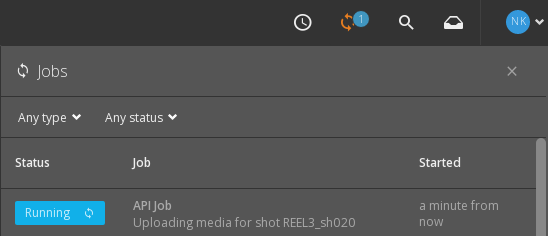
The action will work for movies and images.
Note
Always upload media to Ftrack using this action if you want your output to be viewed in dailies.
Producer Workflow
Reviewing with Lists
Select a review list from the side bar on the left. Right click on the list and select Launch RV.
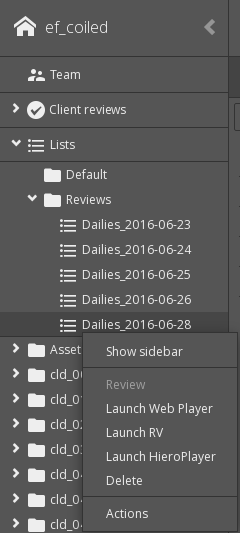
This will launch RV and create a playlist of all the asset versions in the list.
Reviewing without Lists
If no review list exists, you can still review in RV by selecting the individual asset versions.
Navigate to the project sequence and select the ‘Versions’ tab. Ctrl select the versions you would like to review. Right click on the selected versions and select ‘Play selection in RV’
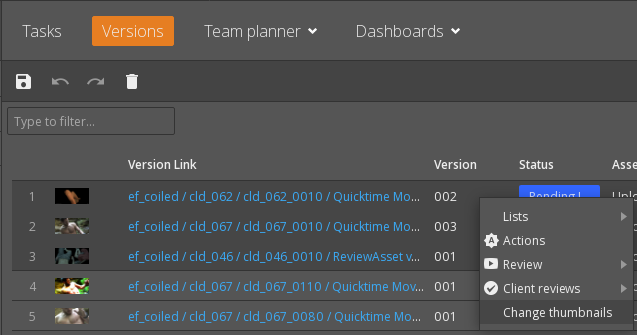
This will launch RV and create a playlist of all the asset versions in the list.